Land measurement has always been an important part of property dealings, farming, construction, and land records in India. Whether you are a farmer, a real estate agent, a surveyor, or a common landowner, accurately calculating the area of a plot can be challenging—especially when the land has irregular boundaries.
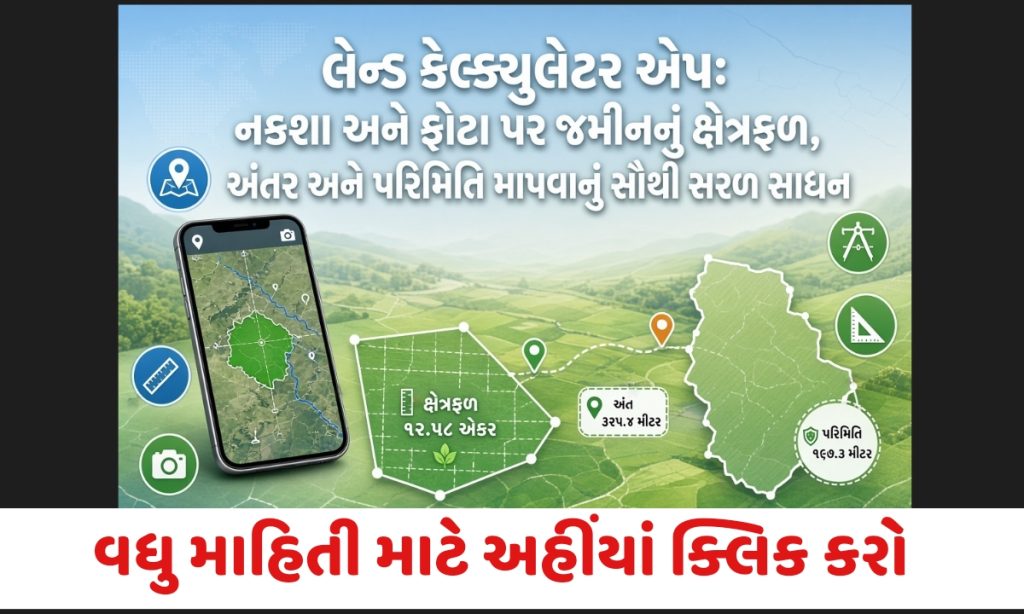
The Land Calculator app solves this problem in the simplest way possible. It allows users to measure land area, distance, and perimeter directly on maps or by importing photos. With built-in support for Indian land units, it has become one of the most useful tools for people across Gujarat and other states.
What is the Land Calculator App?
Land Calculator is a smart and user-friendly mobile application designed to calculate land area, distance, and perimeter quickly and accurately. Users can either work on digital maps or import a photo of their land and mark the boundaries.
The app also includes a powerful unit converter that supports traditional Indian land measurement units used in different states. This makes it especially helpful for users in Gujarat, Rajasthan, Uttar Pradesh, Madhya Pradesh, and other regions where units like Bigha, Vigha, Guntha, and Acre are commonly used.
Key Features of Land Calculator App
1. Measure Land Using Maps
- Easily locate your property or plot on the map.
- Mark the boundary points by tapping on the map.
- The app automatically calculates the total area, perimeter, and distances between points.
- No prior measurements are required.
2. Import Photos for Measurement
- Upload a photo or scanned image of your land plan.
- Overlay and scale the image according to a known distance.
- Draw the boundaries on the photo.
- Get accurate area calculation even for irregular shapes.
This feature is particularly useful when you already have boundary measurements from a surveyor (Patwari) or your own physical measurement.
3. Manual Distance Input
- You can manually enter the exact length of any boundary line.
- Simply tap on the distance label of a line and update the value.
- This option is currently available while measuring on imported photos.
4. Multiple Layers & Data Management
- Save and retrieve previous measurements.
- Share location links of measured areas.
- Zoom and scroll the map freely using simple gestures.
5. Easy Editing Tools
- Add new points with a single tap.
- Drag and move existing points to adjust boundaries.
- Double-tap to refresh or correct a point.
- Delete or modify any measurement easily.
6. High Accuracy Calculations
- Uses advanced geometric algorithms for precise area calculation.
- Displays exact distance between every two points.
- Supports both metric and imperial units along with major Indian land units.
Supported Land Measurement Units
The app includes a built-in unit converter that covers a wide range of units commonly used in India, including:
- Square Feet
- Square Meter
- Acre
- Hectare
- Bigha / Vigha
- Guntha
- Biswa
- And several other regional units
This makes it convenient for users dealing with official land records in different states.

Who Can Use the Land Calculator App?
- Farmers who want to measure their fields
- Real estate agents and property dealers
- Land surveyors and civil engineers
- Architects and construction professionals
- Common landowners checking plot size
- Students learning land measurement
How to Use the Land Calculator App
Using Maps:
- Open the app and go to the map section.
- Search or locate your land.
- Tap on the map to mark boundary points one by one.
- The app will automatically calculate the area and distances.
Using Photos:
- Import a clear photo of your land sketch or plan.
- Set the scale by providing a known distance.
- Draw the boundaries on the image.
- View the calculated area in your preferred unit.
Benefits of Using Land Calculator
- Saves time compared to traditional measurement methods
- No need for expensive surveying equipment for basic calculations
- Works offline in many cases (depending on map usage)
- Supports irregular-shaped plots
- Easy to share measurements with others
- Available as an APK for Android devices
Important Tips for Accurate Measurement
- Use clear and high-quality photos when importing images.
- Always set the correct scale ratio when working with photos.
- Mark boundary points carefully for better accuracy.
- Cross-verify important measurements with official records when required.
- Keep the GPS location accurate while using the map feature.
Land Calculator App Download
You can download the Land Calculator APK from trusted sources. Always ensure you download from a reliable website to avoid security risks.
Important Links
| Home page | Click here |
| Join WhatsApp group | Click here |
| Download link | Click here |
Frequently Asked Questions (FAQ)
Q1. Is the Land Calculator app free to use?
Yes, the basic version of the app is available free of cost. Some advanced features may require in-app purchases depending on the version.
Q2. Does the app work without internet?
Map-based measurement may require an internet connection for loading maps. However, photo-based measurement can often work offline once the image is imported.

Q3. Can I measure irregular-shaped land with this app?
Yes. The app is specially designed to handle irregular polygonal shapes by allowing you to mark multiple points.
Q4. Which Indian land units are supported?
The app supports major units such as Bigha, Vigha, Guntha, Acre, Square Feet, Square Meter, Hectare, and several regional units.
Q5. Is the area calculation 100% accurate?
The app uses advanced mathematical formulas and provides high accuracy. However, for legal or official purposes, it is recommended to verify with a professional surveyor.
Q6. Can I share the measured land details with others?
Yes. You can save measurements and share location links with other users.
Q7. Is the app available for iOS devices?
Currently, the Land Calculator is primarily available as an Android APK. Availability on iOS may vary.
Q8. Do I need prior measurement knowledge to use the app?
No. The interface is simple and designed for common users. You only need to mark points or enter known distances.

Conclusion
The Land Calculator app is a practical and efficient solution for anyone who needs to measure land area quickly. Whether you are checking a small residential plot or a large agricultural field, the combination of map-based and photo-based measurement makes the process simple and reliable.
With support for traditional Indian units and an easy-to-use interface, it has become a helpful digital tool for landowners, farmers, and professionals across Gujarat and other parts of India.
If you frequently deal with land measurement, downloading the Land Calculator app can save both time and effort.