Losing your smartphone, tablet, earbuds, or other connected devices can be incredibly stressful. Whether misplaced at home, left behind in a public place, or unfortunately stolen, quick recovery is essential. Google has addressed this common problem by evolving its popular Find My Device service into the powerful new Google Find Hub app.
This comprehensive guide covers everything you need to know about the Google Find Hub app — its features, benefits, setup process, and practical tips for maximum effectiveness.
Also read this : Premature Grey Hair at Young Age: The Hidden Vitamin Deficiency You Must Know
What is the Google Find Hub App?
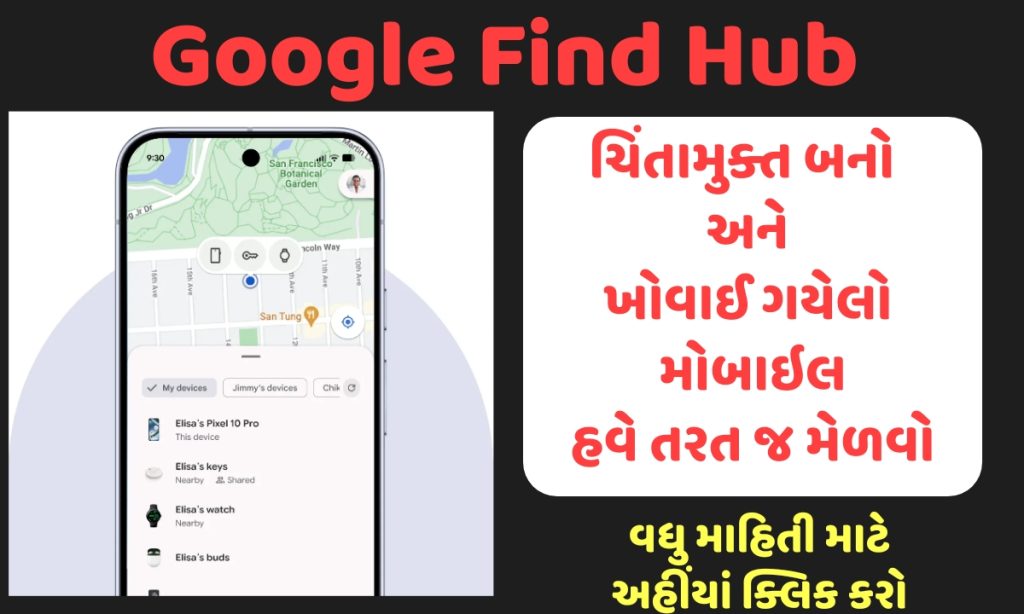
Google Find Hub is the rebranded and significantly upgraded version of Google’s long-standing Find My Device tool. It serves as a centralized hub for tracking and managing your Android ecosystem.
Beyond simply locating a lost phone, Find Hub integrates advanced offline tracking, support for Bluetooth trackers and accessories, and seamless location sharing with family and friends. It leverages Google’s vast encrypted crowdsourced network of millions of Android devices worldwide, allowing it to locate items even when they are offline or powered down.
This evolution makes Find Hub one of the most robust device recovery and security solutions available for Android users in 2026.
Key Features of Google Find Hub App
The app offers a rich set of tools designed for both everyday convenience and emergency recovery.
1. Locate Devices on a Map
View the real-time or last-known location of your Android phones, tablets, Wear OS watches, earbuds, and compatible trackers directly in the app or via the web. This feature shines when a device is lost away from home.

2. Play a Sound
If the device is nearby but hidden (e.g., under couch cushions), trigger a loud ring at full volume — even if the device is on silent mode.
3. Secure Your Device Remotely
In case of loss or theft, remotely lock the device and display a custom message with your contact number on the lock screen. This can help honest finders return your device.
4. Erase Device Data
If recovery seems unlikely, perform a remote factory reset to wipe all personal data and prevent unauthorized access.
5. Find Accessories and Trackers
Find Hub now supports a wide range of Bluetooth smart tags, earbuds, and other accessories, making it easier to keep track of keys, wallets, bags, and more.
6. Advanced Offline Device Tracking
Thanks to the crowdsourced Android network, compatible devices can report their location anonymously even without an active internet connection. This dramatically improves recovery chances.
Benefits of Using Google Find Hub
- Completely Free: No subscription required — just a Google account.
- User-Friendly Interface: Intuitive design suitable for all age groups.
- High Recovery Success Rate: Combines GPS, Wi-Fi, Bluetooth, and crowdsourced data.
- Strong Privacy and Security: End-to-end encryption and anonymous crowdsourcing protect user data.
- Broad Compatibility: Works with most Android devices, Wear OS watches, and supported accessories.
- Family Sharing: Easily share locations with trusted contacts.
How to Set Up Google Find Hub App
Setting up the app is straightforward and takes just a few minutes.
- Download or Update the App
Visit the Google Play Store and install or update to the latest Google Find Hub app (formerly Find My Device). - Sign In
Log in with your primary Google Account. - Enable Necessary Permissions
Turn on Location Services and set Find Hub network participation to “On” or “Always Allow.” - Add and Verify Devices
All Android devices and compatible accessories linked to your Google account will automatically appear in the dashboard.
Pro Tip: You don’t even need the app on your phone to locate it. Simply visit android.com/find in any web browser and sign in to access the full dashboard.

Tips for Maximum Effectiveness
- Keep Location Services and Bluetooth enabled on your devices.
- Ensure your devices are updated with the latest Android version for best compatibility.
- Regularly check connected accessories and add new trackers as needed.
- Enable two-factor authentication on your Google Account for added security.
- Share your location selectively with family members for peace of mind during travel.
Compatibility and Requirements
Google Find Hub works best on devices running Android 9.0 (Pie) or later. Full offline tracking features may require newer hardware with specific chipsets. Most popular earbuds (Pixel Buds, etc.) and third-party Bluetooth trackers are supported. Always check the Play Store listing for the latest compatibility details.
Privacy and Security Considerations
Google prioritizes user privacy with encrypted data transmission and crowdsourced location reporting that does not reveal personal information. You can review and manage your device history and location sharing settings directly in the app.
Conclusion
The Google Find Hub app transforms device recovery from a stressful ordeal into a reliable, user-friendly process. Whether you’re protecting a high-end smartphone, keeping tabs on wireless earbuds, or ensuring family safety, Find Hub provides powerful tools at no extra cost.
Download it today and enjoy greater peace of mind knowing your devices — and the memories they hold — are secure.
Important Links:
| Home page | Click here |
| Join WhatsApp group | Click here |
Frequently Asked Questions (FAQ)
Q1: Is Google Find Hub different from the old Find My Device app?
Yes. Find Hub is the rebranded and enhanced version that includes better offline tracking, accessory support, and a centralized hub experience.
Q2: Do I need to pay for Google Find Hub?
No, the app and all core features are completely free with any Google Account.
Q3: Can I use Find Hub to locate my iPhone or non-Android devices?
Find Hub is designed primarily for the Android ecosystem. Apple users should use Apple’s Find My network.

Q4: Will Find Hub work if my phone is turned off?
On supported newer devices, limited offline tracking is possible through the crowdsourced network, but results vary.
Q5: How accurate is the location tracking?
Accuracy depends on GPS, Wi-Fi, and nearby Android devices. It is generally very precise in urban areas and indoors.
Q6: Can someone else access my device data through Find Hub?
No. Only you (and people you explicitly share with) can access location data. Strong Google Account security is recommended.
Q7: Does the app drain my phone’s battery?
Background location reporting is optimized to have minimal impact on battery life.
Q8: Where can I access Find Hub without installing the app?
Visit android.com/find from any browser on any device.